ViewSonic XG2703-GS G-SYNC Monitor Review
By daire-May 29, 2017
- Overview
- Design
- Specifications and Features
- Performance
- Conclusion
Overview
A good monitor is one of the most important parts of any gamers setup (PC or Console). I've seen many gamers splurge on high-end graphics cards, a good CPU and RAM only to bottleneck their system with a mediocre monitor that can't take full advantage of their beefy setup.Design
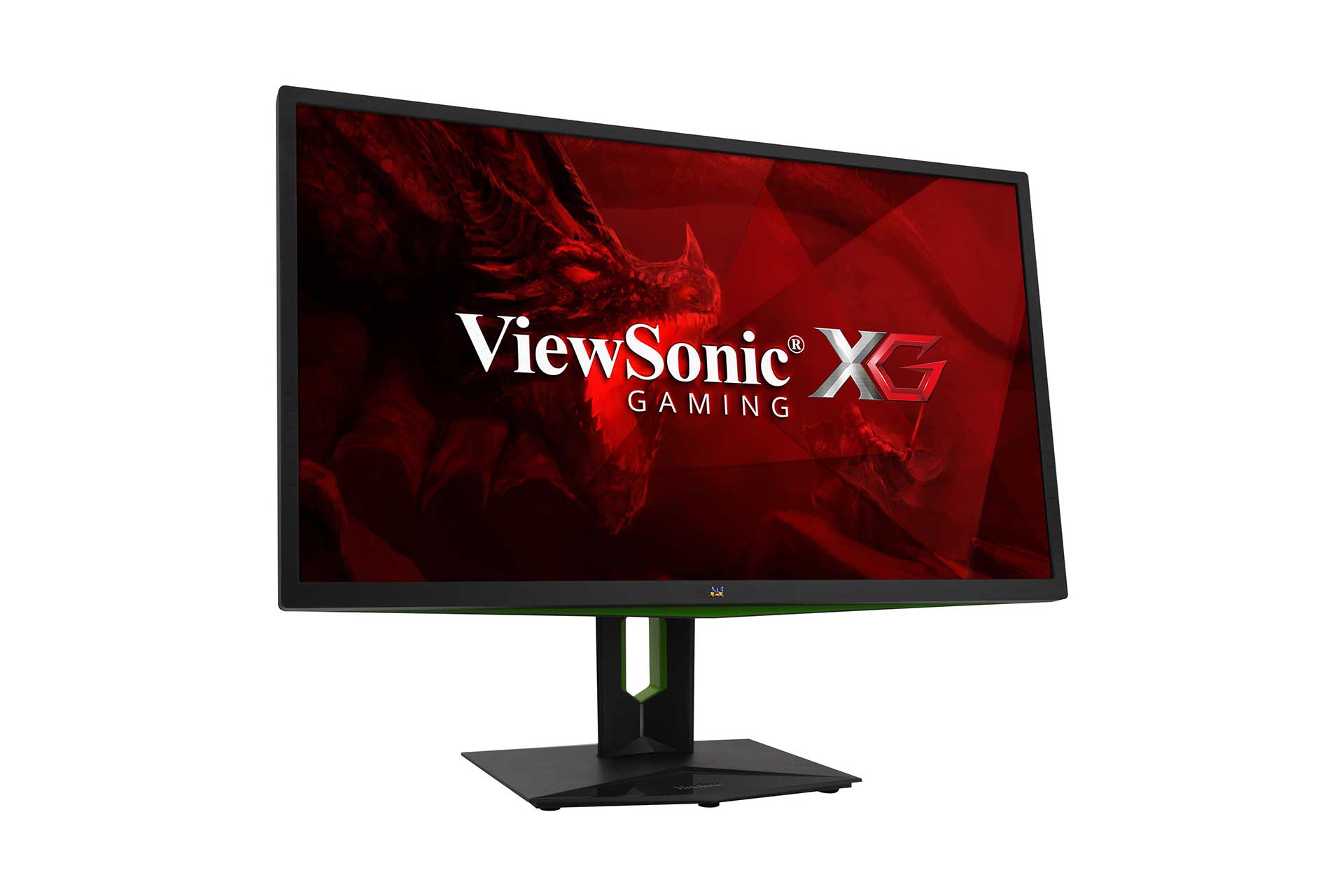
The monitor is built out of matt plastic with Nvidia-green accents distributed over the housing. The display surface is also Matt and has an anti-reflective coating that any glasses-wearing gamer such as myself will appreciate. The design is centred between the rather unconventional forms of gaming monitors and the clarified appearance of Dell's office displays. The XG2703 has a tilt angle of 20 degrees. There is a pivot function and the monitor is also height-adjustable. The monitor also has a viewing angle of 178 degrees which is perfect for a late-night co-op sessions with friends, (I'm still a sucker for split-screen multiplayer). The power consumption depends on the power saving mode of up to 48 watts. The monitor uses an external 90-watt power supply. This is interesting as it's the first monitor I've seen that does this. On the underside, you will find the inputs for DisplayPort 1.2, HDMI 1.4, a USB 3.0 hub (4 inputs in total) and a 3.5mm jack plug. I highly recommend using headphones or speakers with this monitor as the built-in 2-watt stereo speakers sound tinny and lack depth. One of my favourite design features is the fold-out headphone stand on the back of the monitor. This feels sturdy and should cater for the heaviest of gaming headphones. The reason I love this so much is that I don't have to unplug my headset anytime I leave my computer. Theoretically, this could also be used for a VR Headset but I wouldn't advise it as I'm sure it's far too brittle for the weight of an Oculus Rift or HTC's Vive.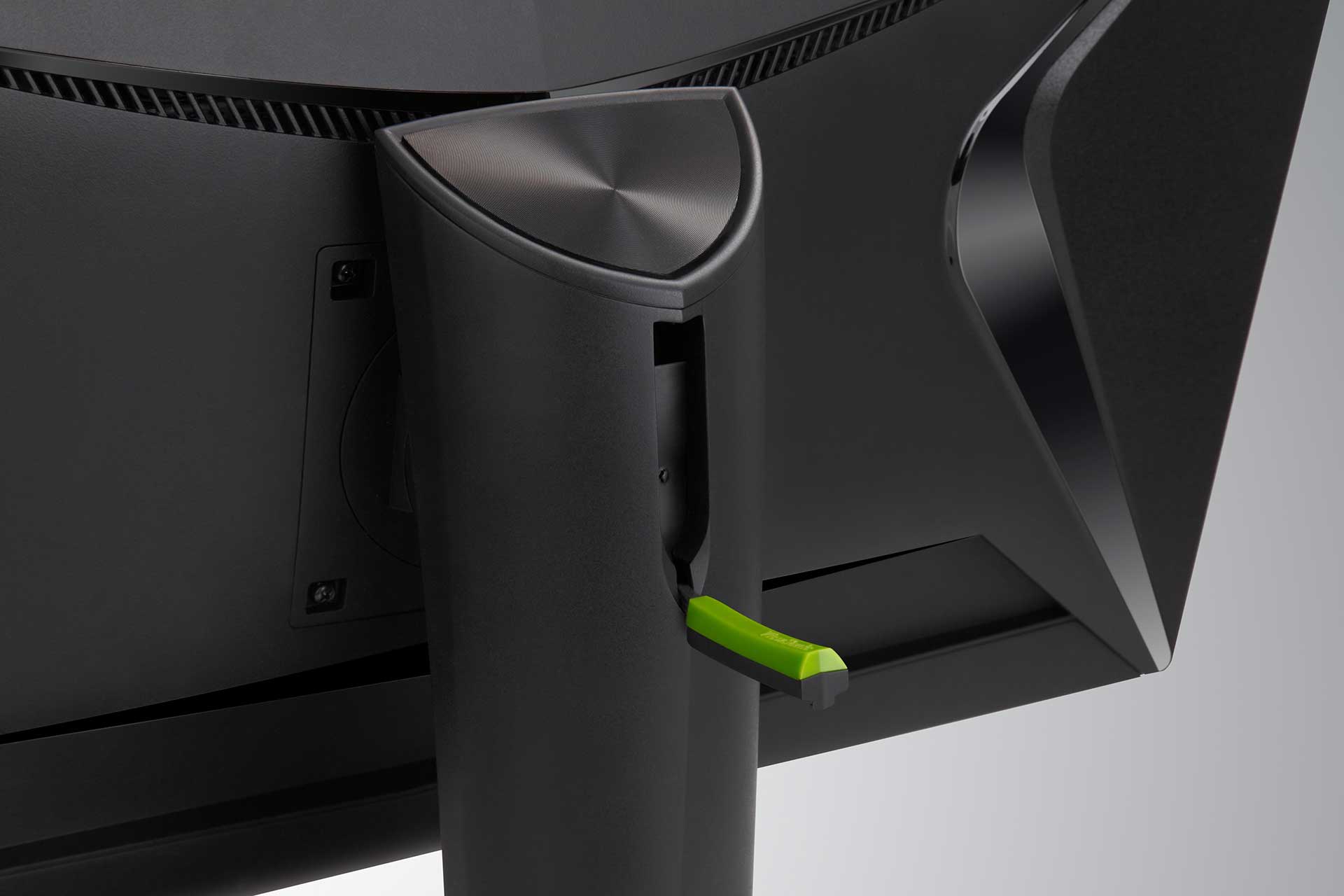 Under the diamond-shaped cable hole is a LED strip that changes colours depending on the screen. The effect is comparable to Philips Ambilight technology. Using the on-screen menu, the effect can also be set to a dedicated colour.
One clear design flaw that I found is that the top of the housing is oddly shaped, meaning that it's difficult to attach accessories like a webcam. There are webcams that can attach to any surface thank to a flexible grip but since the majority of gamers probably don't have one of these it's worth mentioning.
Under the diamond-shaped cable hole is a LED strip that changes colours depending on the screen. The effect is comparable to Philips Ambilight technology. Using the on-screen menu, the effect can also be set to a dedicated colour.
One clear design flaw that I found is that the top of the housing is oddly shaped, meaning that it's difficult to attach accessories like a webcam. There are webcams that can attach to any surface thank to a flexible grip but since the majority of gamers probably don't have one of these it's worth mentioning.
Specifications and Features
No matter what kind of computer I run I will always look for a few things in a monitor. A minimum of 144Hz, IPS-type, 5ms or lower (ideally 1ms) and a minimum resolution of 1920x1080. Many gamers believe that 144Hz is better because you get more frames but this isn't entirely accurate. The eye can't actually see past 60Hz. The reason why 144Hz is better because it provides better visual rendering on the screen and helps reduce eye-fatigue. IPS (In-plane switching) is the type of panel used to manufacture the screen. They are known for their great colour accuracy but are more expensive to manufacture than TN (Twisted Nematic) panels. Getting into it more would be a whole new article so just take my word for it that it's good. Response time is the amount of time a pixel in an LCD monitor takes to go from one value to another and back again. It is measured in milliseconds (ms). Lower numbers mean faster transitions and therefore fewer visible image artefacts.| Frequency | 144Hz minimum | 165Hz |
|---|---|---|
| Display Type | IPS | IPS-type |
| Response Time | 5ms or lower (ideally 1ms) | 4ms |
| Resolution | 1920 x 1080 | 2560 x 1440 (2k) |
Extensive options make it possible to further lighten dark areas, adjust the gamma curve and even optimise the colours through a 6-axis colour adjustment. The latter function primarily helps in the calibration. Our present test pattern is almost ideally set in the delivery state and covers 100% of the sRGB colour space. The black level is very acceptable for an 8-bit panel.
In a completely darkened environment, the illumination is uniform there with no form of backlight bleeding. There is also a setting to enable a blue light filter in the evening hours or at night. This is a lifesaver and might get added to my list of minimum requirements for future monitors. Many of the gamers I play with are US-based (GMT-5 - GMT-8) so I spend a lot of time playing at night.